
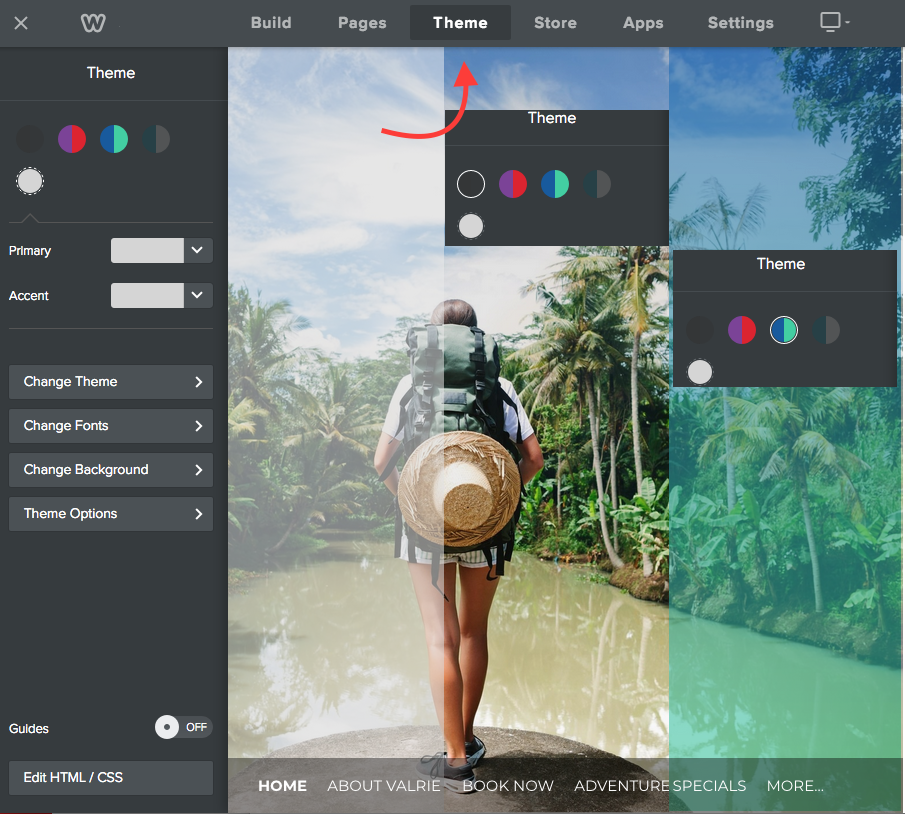
Some themes come with the option of a header color, it is easy to change the color in your theme menu or toggle the option on or off in your theme options. You can also change your theme at any time and preview new themes in Weebly prior to switching.
- In your site editor, select the Theme menu from the top of the page
- Here you can select your theme colors
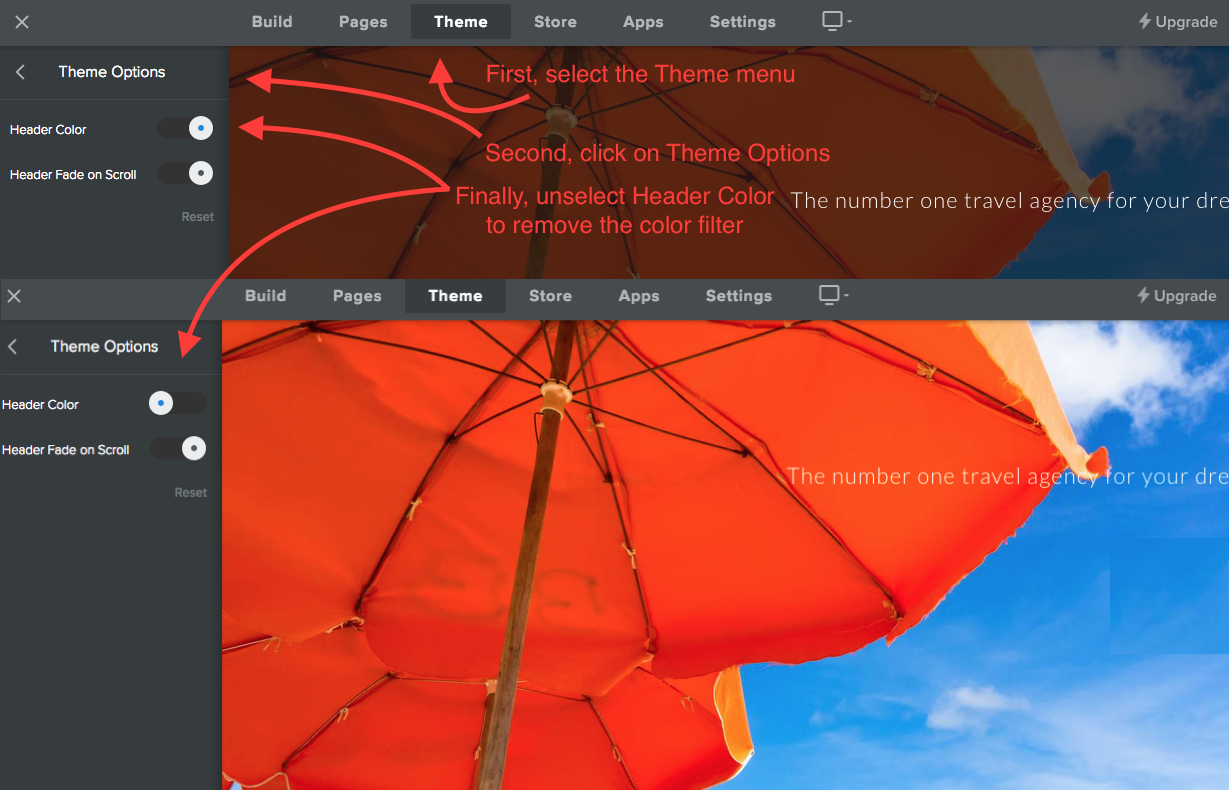
- Chose Theme Options from the Theme menu
- If your them comes with this option then you will see Header Color
- Toggle this option on/off depending on your preference
- Don't forget to Publish your changes to make them live!
Comments
0 comments
Article is closed for comments.