
- Click on your name in the upper right corner of your Dashboard.
- Under Workspace Menu, select Brand Settings.
- The system will automatically bring you to the Linked Accounts tab in your Brand Settings. Click Add New at the center of the page.
- Select the Pinterest tile.
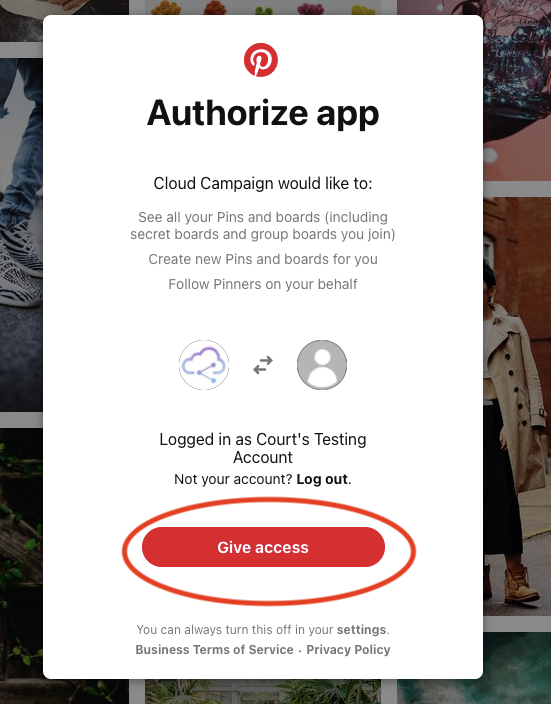
- Log in to your desired Pinterest account and click Give Access.
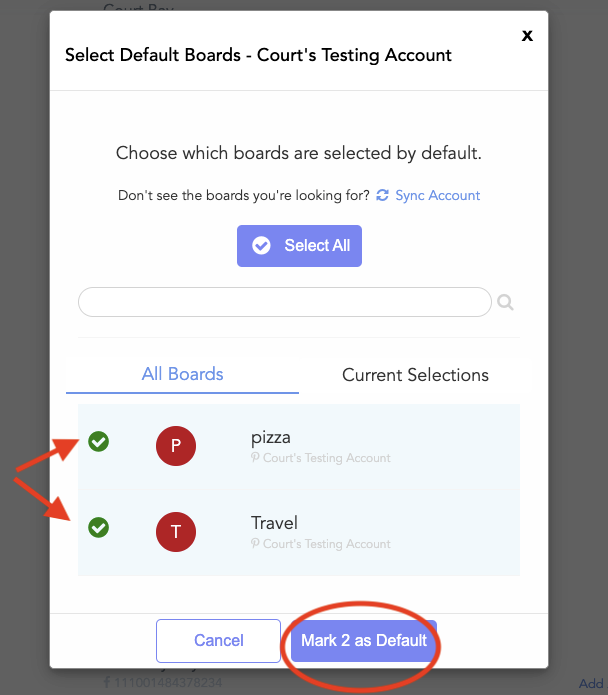
- Once linked, navigate to your Existing tab. To select default boards, click on the Boards Linked: _ Default.
- Don't see all your boards? Click Sync Account to refresh the list.
- Select your desired boards, then click Mark as Default.

You're ready to post to Pinterest!
Comments
0 comments
Article is closed for comments.